
Wednesday, August 22, 2018

Your weekly technology lesson: How to use OneDrive on Mobile

We did not do a live show this week, so we're giving you an encore presentation. It's all about Microsoft's OneDrive on computer, Android, and iPhone! 
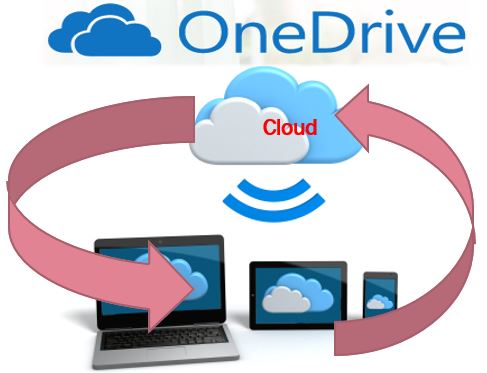
Do you use Windows 10 and are confused by the OneDrive options? Did you know that Microsoft's OneDrive makes it possible to see your files on any device? You can even create Word, Excel, or Powerpoint files on Android, iPhone, and Mac as well as Windows? All for free. Try this now
  1. You need a Microsoft account - it's free
  2. Go to OneDrive.com and Sign in with your Microsoft account
  3. You will now see all the files that have been synchronized on your account
  4. You can even create a new Excel, Word, or Powerpoint file by clicking the + button (no need for the Excel, Word, or Powerpoint software.)
You can also use OneDrive on your phone to automatically backup all your photos to the cloud. We use OneDrive as a secondary backup along with Google Photos. We believe in belt AND suspenders!
This episode also covered a tip and an app:
  1. Tip of the Day: How to Force Quit apps on your Apple or Android mobile device
  2. Beginner’s Lesson: Using OneDrive 
  3. App: Wink: Home Automation 

Further your computer education**Subscribe to the Free Geeks on Tour Newsletters** Watch our Weekly Online Show on Learning Smartphones and Tablets!


Continue your Education with Geeks on Tour by subscribing to our Newsletters!

Sunday, April 1, 2018

139. Widgets

Widgets are special buttons on your phone to make it do exactly what you want. Learn how to install and use them on both Android phones and iPhones.
If you are a Geeks on Tour member, you can get your show notes here.
 

Continue your Education with Geeks on Tour by subscribing to our Newsletters!

Wednesday, March 28, 2018

138. Google Photos - including pictures from computers and cameras

Getting started with Google Photos usually means setting it up on smartphones. The goal is for Google Photos to be the home for ALL your photos, including the ones on your computer, miscellaneous hard drives, disks, and other cameras with SD cards. How do you get them on to Google Photos? That's the topic of this episode. If you are a Geeks on Tour member, you can read your show notes here.

Continue your Education with Geeks on Tour by subscribing to our Newsletters!

Wednesday, March 7, 2018

137. Accounts: What are they?

If you want to understand how your phone (or tablet) works, you have to start with accounts. They can be very important. From giving you a way to find your lost phone, to storing your contacts, accounts are the key to making it all work. Watch this show to learn how.
If you are a GeeksOnTour.com member, you can get your show notes here.


Continue your Education with Geeks on Tour by subscribing to our Newsletters!

Thursday, February 22, 2018

136. Editing Photos with Snapseed: like a post card

Do you visit some beautiful places and wish your pictures could do them justice? With the free Snapseed app on your iPhone, iPad or Android phone or tablet, it only takes a couple of clicks to take a so-so photo and make it stunning. Watch this show to learn how.
If you are a GeeksOnTour.com member, you can get your show notes here.


Continue your Education with Geeks on Tour by subscribing to our Newsletters!

Thursday, February 15, 2018

135. Copying from USB "thumb" drive to smartphones

Has someone handed you a little flash drive and told you all the files you need are on it? But, they didn't tell you what to do with it? Or, do you know how to use a thumb drive in a computer but need to use an iPad this time? Have you purchased the Geeks on Tour Learning Library on thumb drive and don't know how to use it?
In this episode, we demonstrate how to copy an entire thumb drive to a computer, and then how to copy specific files to an iPad or Android phone or tablet.

If you are a Geeks On Tour member, you can read detailed show notes here.


Continue your Education with Geeks on Tour by subscribing to our Newsletters!

Wednesday, February 7, 2018

Using Chromecast to display phone's screen on TV (#108)

We have an encore episode for you this week - it was a really good one where we demonstrated how to use the $35 Chromecast device with your big screen TV and show anything from your phone's screen on the big screen. We do this all the time! It's so much easier to navigate Netflix from your phone (or laptop) on the couch and simply "cast" it to the TV.
If you are a Geeks on Tour member, you can read thru the show notes here.
  1. Opening Tip: Find a Lost Phone
  2. Beginner’s Lesson: Chromecast
  3. Closing Tip: Google Trusted Contacts


Continue your Education with Geeks on Tour by subscribing to our Newsletters!

Thursday, January 25, 2018

#134 Scanning Photos with Google's PhotoScan app

If you have old photos stored in boxes, albums, or even framed on the wall - how do you convert them to digital format so you can save them forever? That's what we covered this week. We specifically talked about the Google app called PhotoScan, but we also discussed other apps and procedures for scanning.
If you are a Geeks on Tour member, you can see written show notes Here.


Continue your Education with Geeks on Tour by subscribing to our Newsletters!

Wednesday, January 17, 2018

#133 Facebook Privacy

When you write a post using Facebook, who can see it? How about when you comment on someone else's post? Have you ever wondered why you can "share" some posts and not others. These mysteries and more will be cleared up in this information-packed episode. If you are a Geeks on Tour member, you can get the show notes here.


Continue your Education with Geeks on Tour by subscribing to our Newsletters!

Wednesday, December 20, 2017

#132. Google Photos for Picasa Users

For 10 years, we taught people how to use Picasa for managing photos on their computers. We loved that program! But Google retired it nearly 3 years ago. We still use it for some things we do with photos on our computers - but everything is moving to the cloud - and Google Photos is the way to go now. This episode explains what you need to do.
Geeks on Tour members: get your class notes hereYou might want to print them out and then join with some friends to take the class. Just play the video parts of interest to you by using the timeline links in the class notes, pause the video and experiment on your own device. Then take the review questions at the end and see how you did.
Facebook Live event to field Q&As about this episode.We will be live on Thursday, 12/21 at 5pm Eastern. Just go to our Facebook Page at the appointed time and you'll see us! Like the page in order to be notified. Click here to add this item to your Google Calendar


Continue your Education with Geeks on Tour by subscribing to our Newsletters!

Wednesday, December 13, 2017

#131 Mobile Internet Resources with experts Chris and Cherie

There's a big difference between wanting Internet access and needing Internet access. If you work while you're traveling and you need Internet access, there is a lot to know. Our guests, Chris Dunphy and Cherie VeArd, of MobileInternetInfo.com are fulltime nomads who work while traveling. They make it their full time business to know it all so they can help the rest of us. 
  • Tip of the Day: controlling your Facebook Home feed
  • Photo Edit: brighten a photo with one click
  • Beginner’s Lesson: Chris and Cherie talk about unlimited data plans, then give us a guided tour of the MobileInternetInfo website.
Geeks on Tour members: get your class notes hereYou might want to print them out and then join with some friends to take the class. Just play the video parts of interest to you by using the timeline links in the class notes, pause the video and experiment on your own device. Then take the review questions at the end and see how you did.
Facebook Live event to field Q&As about this episode.We will be live on Thursday, 12/14 at 5pm Eastern. Just go to our Facebook Page at the appointed time and you'll see us! Like the page in order to be notified. Click here to add this item to your Google Calendar


Continue your Education with Geeks on Tour by subscribing to our Newsletters!

Wednesday, December 6, 2017

#130 Allo the smart messaging app with guest, Michael Daniels

You can send a simple text message, or you can have a smart conversation. Google hopes you agree that the addition of the Assistant inside of the Allo messaging app sets it apart from other messaging options. It's useful, it's fun, it's Google. Joining us for this episode is Michael Daniels. He is a Google Top Contributor for the Allo app as well as the Hangouts app. He will be presenting the beginner's lesson today.
  • Tip of the Day: magnifying the screen iPhone and Android accessibility
  • Beginner’s Lesson: Learning about the Allo App
Geeks on Tour members: get your class notes hereYou might want to print them out and then join with some friends to take the class. Just play the parts of interest to you by using the timeline links in the class notes, pause the video and experiment on your own device. Then take the review questions at the end and see how you did.
Facebook Live event to field Q&As about this episode.We will be live on Thursday, 12/7 at 5pm Eastern. Just go to our Facebook Page at the appointed time and you'll see us! Like the page in order to be notified. Click here to add this item to your Google Calendar


Continue your Education with Geeks on Tour by subscribing to our Newsletters!

Wednesday, November 29, 2017

#129 Behind the Scenes: Lights, Camera, Sound

This week is something different, a behind-the-scenes look at our studio setup. We still start with tips:

  • Tip about printing mailing labels from Google Contacts
  • Photo edit example - crop and vignette
  • Jim gives away all his secrets about Lights, Camera, and Sound. 
  • Show notes are open to all this week: scroll down for links to all the products mentioned.


Continue your Education with Geeks on Tour by subscribing to our Newsletters!

Wednesday, November 15, 2017

128. How to keep your Google Account Safe

Did you know there is one feature - 2-step verification - that is the singlemost important thing you can do to protect your Google account from hackers. It's easy, we'll show you how in this episode. We'll also demonstrate how it works and show you how to change your password as well.
Episode 128 was recorded live on Sunday, Nov 12, 2017.  In this episode you will learn:
  • Tip of the Day: one-finger keyboard typing
  • Photo Edit: Auto correct for white balance
  • Beginner’s Lesson: How to keep your Google Account Safe
  • App of the day: FMCA hotspot plan for Verizon
Geeks on Tour members: get your class notes hereYou might want to print them out and then join with some friends to take the class. Just play the parts of interest to you by using the timeline links in the class notes, pause the video and experiment on your own device. Then take the review questions at the end and see how you did.
Facebook Live event to field Q&As about this episode.We will be live on Thursday, 11/16 at 5pm Eastern. Just go to our Facebook Page at the appointed time and you'll see us! Like the page in order to be notified. Click here to add this item to your Google Calendar


Continue your Education with Geeks on Tour by subscribing to our Newsletters!

Wednesday, November 8, 2017

Help on Google Products from Google Top Contributors

Chris is at Google HQ in California this week, leaving Jim to party with Roadtrekers in Florida. She is attending the Google Top Contributor's Summit and learning LOTS. What better encore episode to show than #95 which was recorded after last year's Google event?! 

You probably use several Google Apps on your Android phone, and even on your iPhone or iPad. What do you do when you have a question? We'll show you the different ways you can find answers, starting right from the App. We'll also take you behind the scenes at Google's Top Contributor program. These are the people who answer your questions! Who knows, you could even become a Google Top Contributor if you have desire to become a product expert - we'll show you how.
We'll also have a tip about #hashtags, and an app of the week: Google Voice.
Geeks on Tour Members, here are your class notes for Episode 95.


Continue your Education with Geeks on Tour by subscribing to our Newsletters!

Wednesday, November 1, 2017

Cloud Computing with Microsoft Onedrive and your Smartphone #100

What IS the cloud? And, which cloud services should you use. Of the many options, Onedrive from Microsoft is one that should be in your toolbox. Did you know you can make an Excel spreadsheet without owning the Excel software? You don't even need a computer! And, Onedrive can provide that all important backup for all the photos you take with your phone. Chris explains how she uses it in addition to Google Photos.
This encore episode,  #100 was recorded live on Sunday, Nov 13, 2016.  In this episode you will learn:
  • How to Force Quit an App
  • What is OneDrive and how does it work on an iPhone or Android device? 
  • What is Wink Home Automation
Geeks on Tour members: get your class notes hereYou might want to print them out and then join with some friends to take the class. Just play the parts of interest to you by using the timeline links in the class notes, pause the video and experiment on your own device. Then take the review questions at the end and see how you did.
Facebook Live event to field Q&As about this episode.We will be live on Thursday, 11/2 at 5pm Eastern. Just go to our Facebook Page at the appointed time and you'll see us! Like the page in order to be notified.


Review Questions;

  1. How much free storage do you get with OneDrive?
  2. What account do you need to work with OneDrive?
  3. What App do you need in order to edit a spreadsheet on your phone?
  4. If you create a document on your computer, how do you see it on your iPhone?
  5. What setting will upload your phone’s photos to OneDrive?


Continue your Education with Geeks on Tour by subscribing to our Newsletters!

Wednesday, October 25, 2017

127. How about a $59 smartphone?

If you want a smartphone but don't feel the need for the top-of-the-line expensive phone, how about a $59 smartphone? What's the catch? What's wrong with it? If it really does work OK, can it be your main phone? How about a hotspot? Or a phone for the grandkids to use when they visit?  Chris explains how she bought a $59 phone from Walmart with service on the Verizon network and how she likes it. 
This episode was recorded live on Sunday, October 22, 2017. To be notified of live shows, subscribe to our YouTube channel and be sure to click the bell for notifications.
  1. Opening Tip: Google Photos, how to know when Backup is Complete 
  2. Beginner’s Lesson: A $59 smartphone 
  3. Closing Tip: Allstays Camp & RV, gone from Google Play Store
Geeks on Tour members: get your class notes here. You might want to print them out and then join with some friends to take the class. Just play the parts of interest to you by using the timeline links in the class notes, pause the video and experiment on your own device. Then take the review questions at the end and see how you did.
NEW!! Facebook Live event to field Q&As about this episode.We will be live on Thursday, 10/26 at 5pm Central. RSVP here.


Continue your Education with Geeks on Tour by subscribing to our Newsletters!

Wednesday, October 18, 2017

How to Take (good) Pictures with your Smartphone (Encore #110)

If you have a smartphone but haven't explored the camera options, this episode is for you. Maybe you think that a smartphone can't take good pictures? We took all the pictures from our Europe vacation with either an iPhone or an Android. Take a look and see what you think.  In this encore episode we start with how to take a photo, take a selfie, take a video, then we show how to set focus and exposure, turn the flash on/off, take a panorama and more. This episode was recorded live on Sunday, February 12, 2017. To be notified of live shows, subscribe to our YouTube channel and be sure to click the bell for notifications.
  1. Opening Tip: Finding Apps on your Phone. 
  2. Beginner’s Lesson: Photography Essentials. 
  3. Closing Tip: Valentines Day Photo Frames
Geeks on Tour members: get your class notes hereYou might want to print them out and then join with some friends to take the class. Just play the parts of interest to you by using the timeline links in the class notes, pause the video and experiment on your own device. Then take the review questions at the end and see how you did.
NEW!! Facebook Live event to field Q&As about this episode.We will be live on Thursday, 10/19 at 5pm Central. RSVP here.
Continue your Education with Geeks on Tour by subscribing to our Newsletter!

Wednesday, October 11, 2017

126. Google Maps: How to add your places

Google Maps, right out of the gate, is one of the most useful programs ever developed. Add your personal information about places that are important to you, and it is now invaluable. You can add places you want to go. You can add places you need to navigate to. You can record all your travels. You can share your places with others - like the tow truck who needs to find you! This episode will show you how.
This episode was streamed live on 10/8/17 from our home studio. Geeks on Tour members can view the show notes here.
NEW!! Facebook Live event to field Q&As about this episode.We will be live on Thursday, 10/12 at 5pm eastern. RSVP here.


Continue your Education with Geeks on Tour by subscribing to our Newsletters!

Wednesday, October 4, 2017

Casting a Smartphone to the Big Screen #108

Have you ever been visiting friends and they showed you their vacation pictures on their big TV screen? How did they do that? Or, do you watch movies on your phone and wished you could be watching it on your TV instead? With a $35 device, and a little know-how, you can do it too ... this encore episode will show you how!  Quick Tip: Find a lost phone, App: Google Trusted Contacts.This episode of What Does This Button Do was streamed live on Jan 29, 2017.

Geeks on Tour members: get your class notes hereYou might want to print them out and then join with some friends to take the class. Just play the parts of interest to you by using the timeline links in the class notes, pause the video and experiment on your own device. Then take the review questions at the end and see how you did.


Continue your Education with Geeks on Tour by subscribing to our Newsletters!